
Reels vs YouTube Shorts vs TikTok: What Changes in the Edit
By Showmo · 2026-11-25
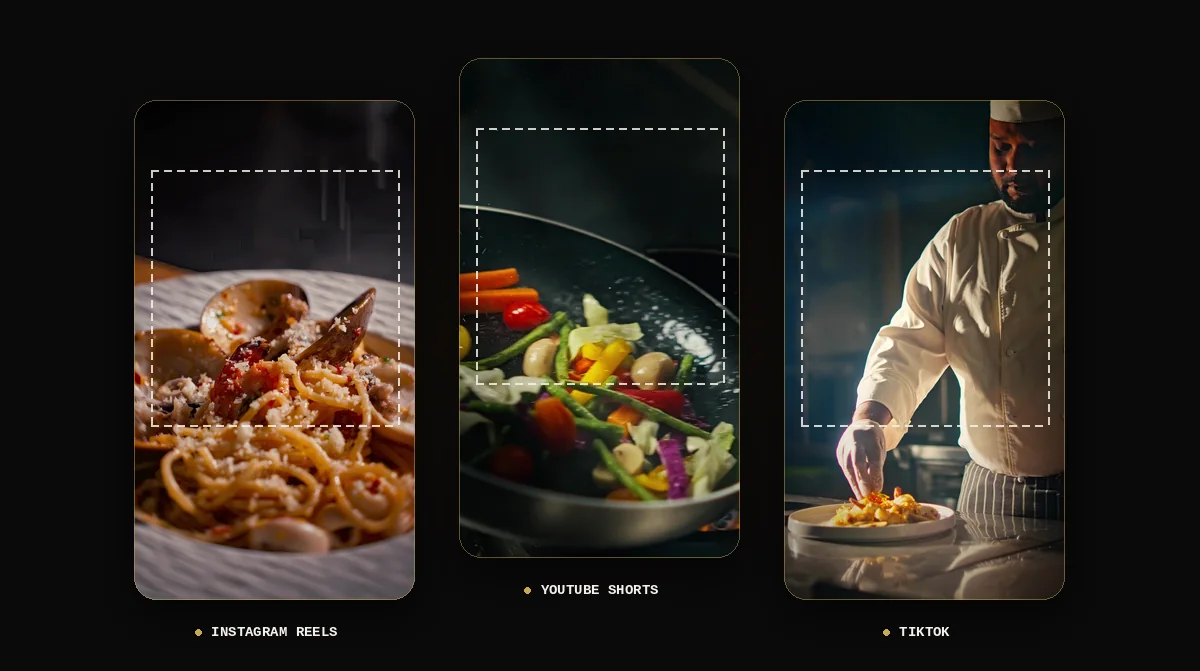
One video can go to all three platforms, but one cut should not. Reels, YouTube Shorts and TikTok share a vertical format, yet the length, the safe areas, the sound and the way viewers decide to stay are not the same. Here is what I change when I cut short-form for each, and what I keep the same.
What stays the same
- The frame. Shoot and edit at 9:16, 1080 x 1920. Instagram Reels dimensions guides agree this is the size that fills the screen without cropping.
- The hook. The first one or two seconds must give the viewer a reason to stay on every platform.
- The grade. Grade once in Rec.709 and keep a little detail in the shadows, because compression crushes dark areas on every platform. See the LOG grading guide.
Safe zones: keep titles in the middle
Each app puts its interface over the video: username, caption, buttons and sound label. Meta's guidance for 9:16 placements, as summarized by Hopper HQ, keeps roughly the top 14 percent, the bottom 35 percent and 6 percent on each side clear. TikTok and Shorts have their own overlays in similar places. So I place captions and titles in the middle of the frame, away from the edges, and the same edit survives all three apps.
Length: what each platform allows
YouTube Shorts can be up to three minutes, and YouTube's own help page says square or vertical videos up to that length are categorized as Shorts. TikTok lets you record up to 10 minutes in the app, and many accounts can upload longer files, according to PostFast's TikTok specs. Instagram's limits have changed several times, so check them before you plan a longer Reel. Long limits do not mean long videos. For product, food and brand clips I usually cut 15 to 30 seconds, and only go longer when the story needs it.
What I change for each platform
Instagram Reels
Reels are watched on a profile and in the feed where polish matters. I keep the grade clean, use brand-consistent type and cut to a licensed or original music track. Reels often get reused on a brand's grid, so the first frame needs to work as a cover too.
YouTube Shorts
Shorts viewers often arrive from a longer-video channel, so I make the opening clear and add a visible end action, like pointing to the full video. Loops work well because the clip restarts automatically.
TikTok
TikTok rewards a faster, more direct feel. I cut tighter, put the hook in the first second and make captions larger and punchier. Native, less over-produced pacing can feel more at home here than a glossy commercial look, while still using a controlled grade.
Music and sound
Do not assume a trending track is safe for brand content. Each platform has different rules for business accounts, so I use licensed or original music for client work and add the platform's own sound only when the account is allowed to use it. Always edit with captions on, since many people watch without sound.
Exports
I export a 1080 x 1920 master and check each platform preview before sending. For a client, I usually deliver one master plus the cuts that differ: a shorter TikTok version, a Shorts version with an end action, and a Reels version with cover-friendly first frame.
If you want this handled for you, my Reels, TikTok and Shorts editing service delivers platform-ready cuts with music and captions, as fast as 48 hours. Try a $150 test on one of your clips. Platform limits change often, so verify the current numbers on each platform before you publish.
Back to the Journal.